What Is DNS? How Does a Domain Name Lead to an IP Address?
 Download image
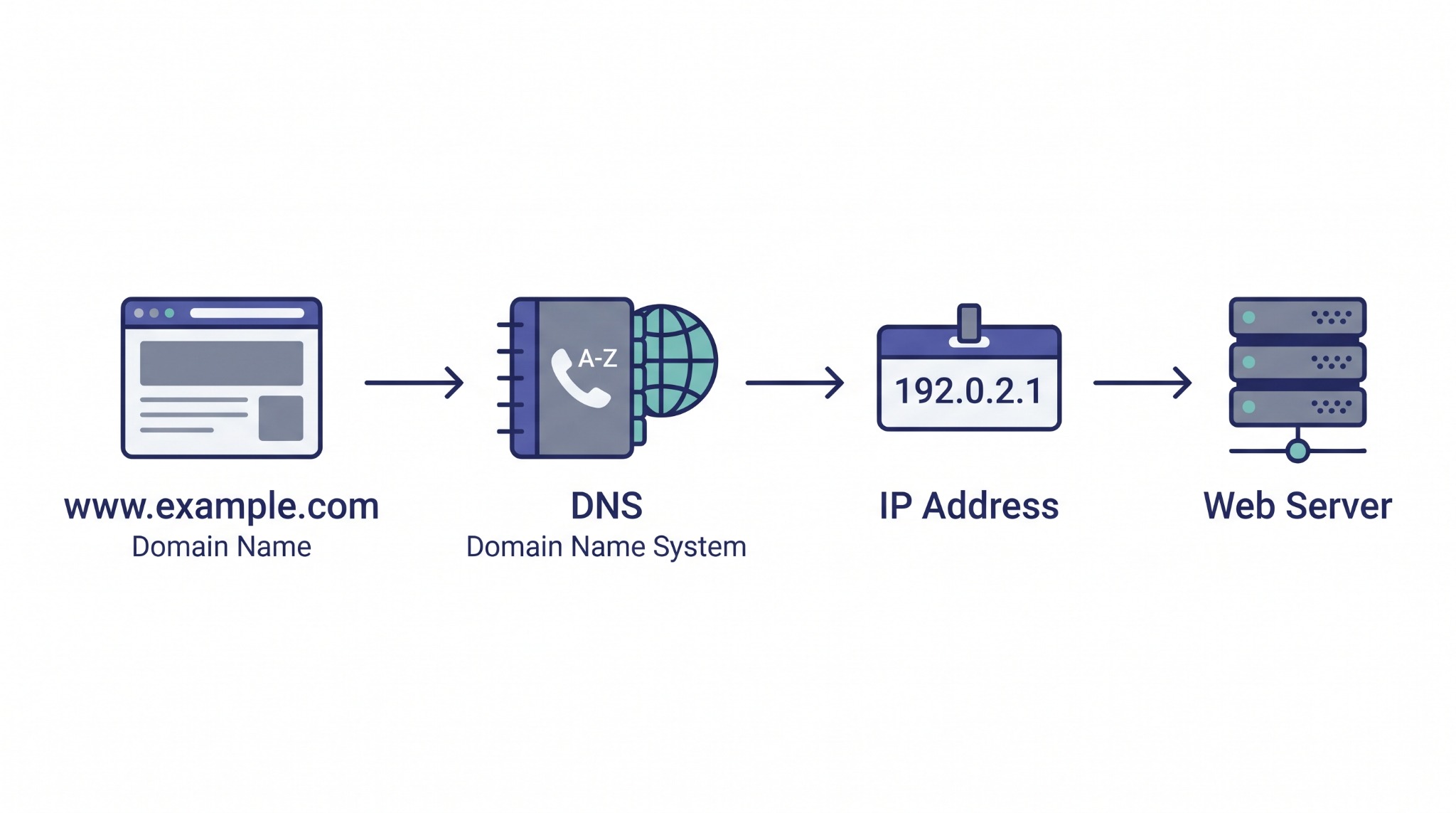
When you enter https://www.example.com, the browser needs an address to connect to before it can request the page. The URL gives it the name www.example.com. The browser uses DNS (Domain Name System) to look up the IP address for that name.
Think of tapping someone's name in your phone contacts. The phone looks up the saved number and calls it. The domain name is like the person's name, the IP address is like the number, and DNS is like the contacts list. In practice, many DNS servers share responsibility for the records.
On this page
What Is an IP Address?
Computers, phones, and servers use numeric IP addresses to communicate over a network. Like a phone number on a call, an IP address helps identify where to send data. There are two formats you will encounter.
| Format | Example | What it looks like |
|---|---|---|
| IPv4 | 192.0.2.10 | Four groups of decimal digits separated by dots. |
| IPv6 | 2001:db8::10 | Groups of hexadecimal digits separated by colons. IPv6 supports more addresses than IPv4. |
A laptop connected to home Wi-Fi might have a private IP address such as 192.168.1.10. It uses that address on the home network. When you open a website over the internet, the browser may connect to the public IP address of a web server, a load balancer that distributes requests, or a content delivery network (CDN).
A domain name can resolve to several IP addresses. Several websites can also share one IP address. If moving to a new host changes the address, you can update the DNS records and keep the domain name.
How Is a Domain Name Structured?
 Download image
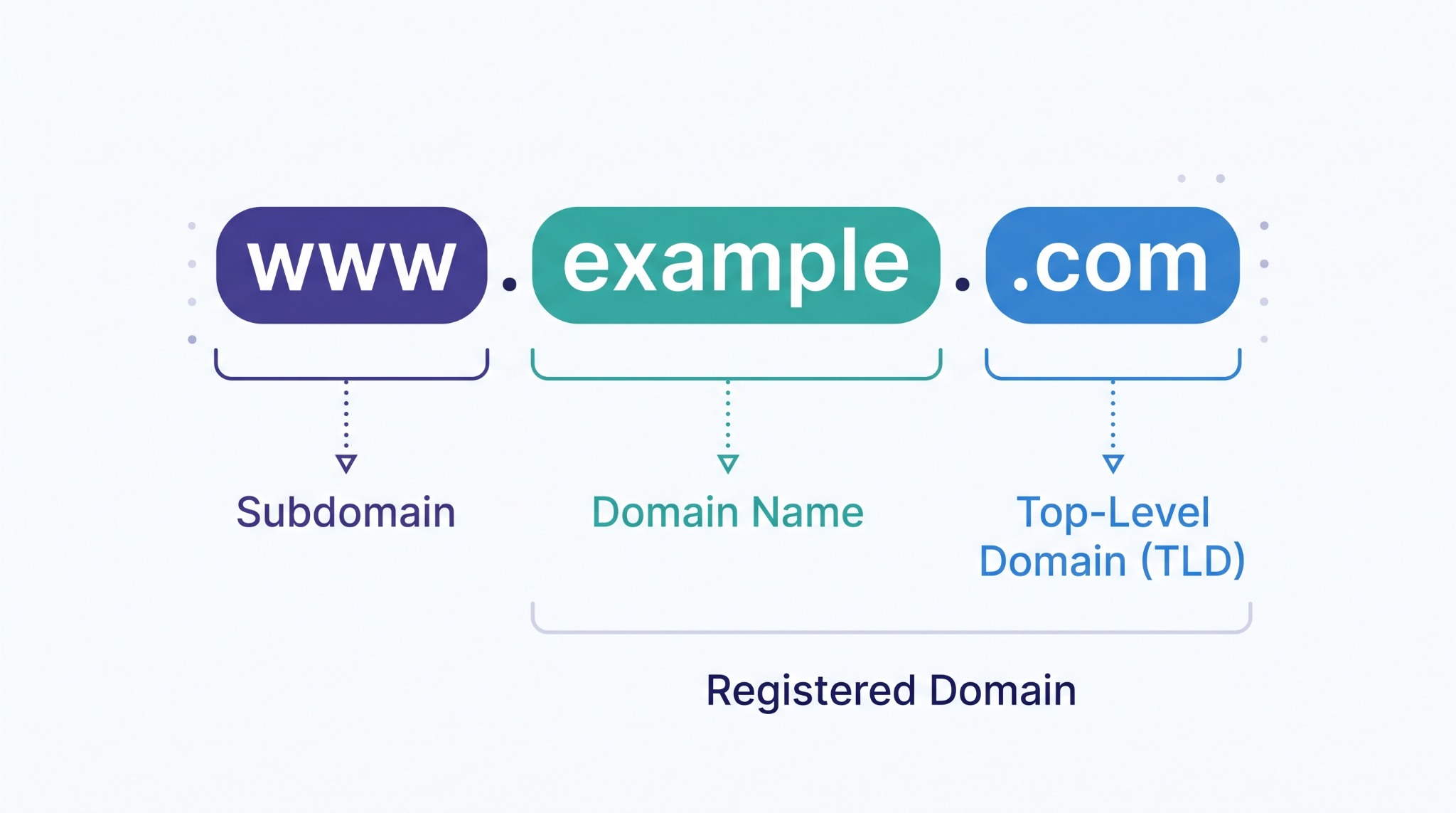
Read www.example.com from right to left to see how the parts fit together.
| Part | What it means |
|---|---|
.com | A top-level domain (TLD). .org, .net, and .mm are other examples. |
example.com | The registered domain name in this example. example is the name under .com. |
www.example.com | A subdomain of example.com. Another possible subdomain is blog.example.com. |
To use your own domain name, register an available name through a domain registrar and renew the registration to keep using it after its term ends. Once you have a name, you need hosting to make the website available at that name.
What Does Hosting Do?
 Download image
Hosting provides the server or infrastructure where a website, application, or other service is stored or run. It makes that resource available to the people or applications that need it, over the public internet or a private network.
| What can be hosted? | What the hosting provides |
|---|---|
| Website or frontend | Serves HTML, CSS, JavaScript, and images to the browser. |
| Backend or API | Runs application code and handles requests from the frontend or other clients. |
| Database | Stores application records and makes them available to authorized clients such as the backend. |
| Files | Stores uploads such as images and documents so the application can retrieve them later. |
| Runs the mail service that sends, receives, and stores messages. |
For example, a course registration app can serve its frontend to students, run a backend to handle registrations, and save the registrations in a database. These parts can share one server or run on separate hosting services.
| Hosting option | How it works |
|---|---|
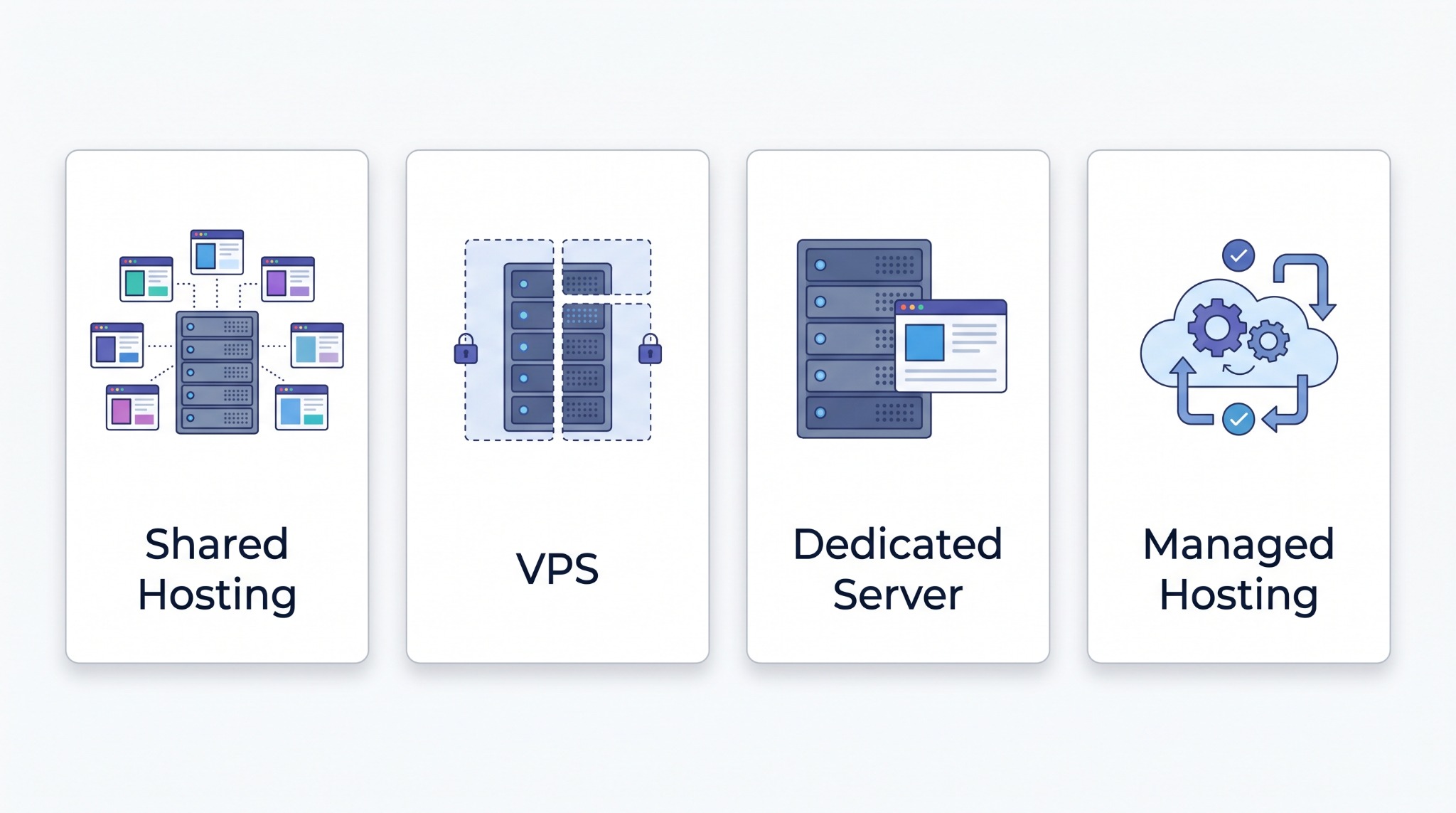
| Shared hosting | Several websites share resources such as CPU and memory on a server. |
| VPS (Virtual Private Server) | You get a virtual server where you can install and run your own software. |
| Dedicated server | You use an entire physical server for your workloads. |
| Managed hosting | The provider operates the infrastructure for a service such as a website, API, or database. What the provider handles depends on the plan. |
To make a hosted website available at www.example.com, use DNS records to point that name to the IP address or hostname specified by your hosting provider. The browser uses that result to reach the hosted site.
How Does the Browser Look Up www.example.com?
 Download image
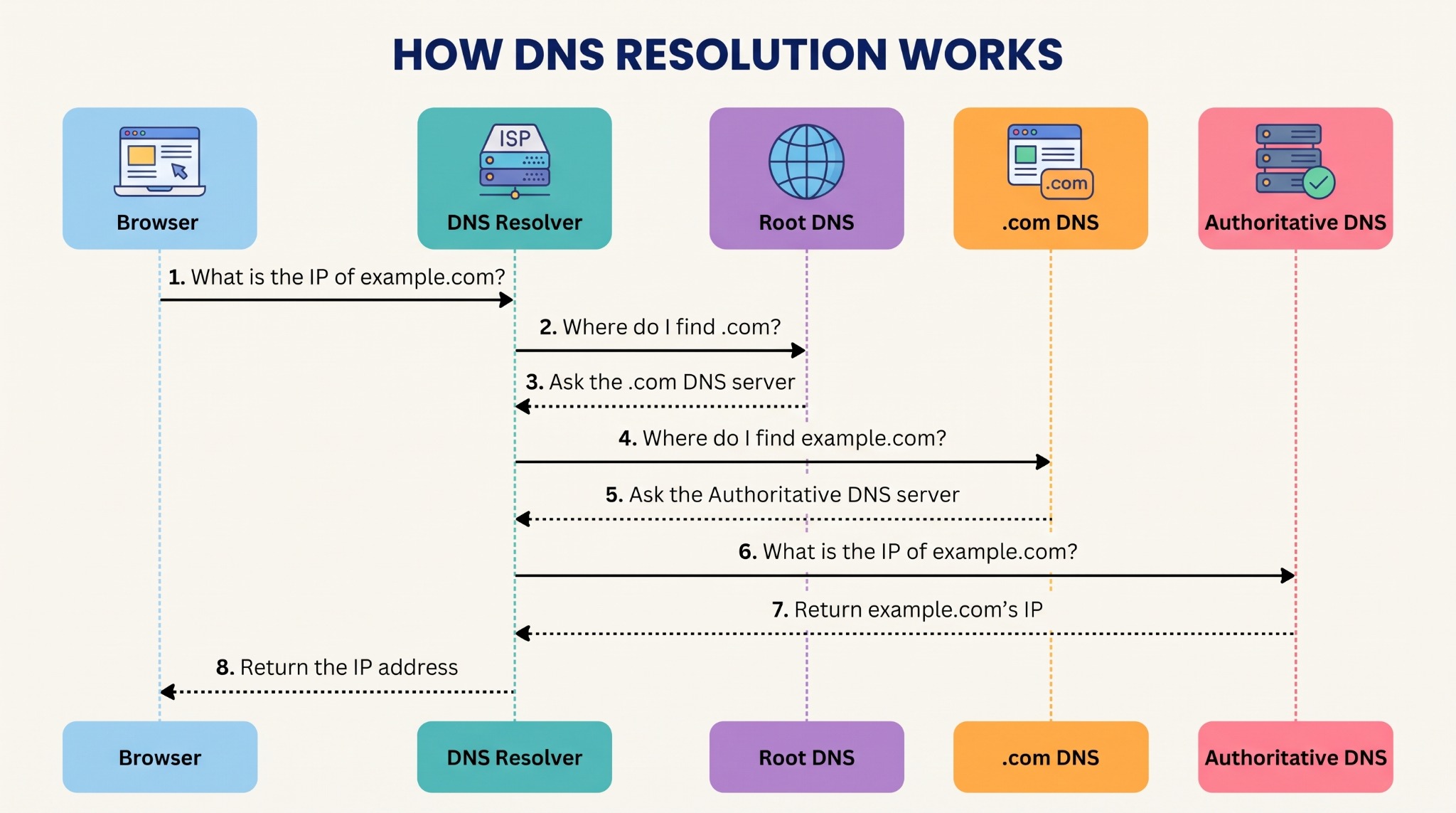
The browser or operating system can check whether it still has a cached DNS answer. If there is no usable answer, it asks a recursive resolver. Your network may provide one, or you can use a public resolver such as Cloudflare (1.1.1.1) or Google Public DNS (8.8.8.8).
If the resolver has neither the answer nor the relevant referrals cached, it follows these steps.
- The root nameserver directs the resolver to the TLD nameservers responsible for
.com. - The
.comTLD nameserver directs it to the authoritative nameservers responsible for theexample.comDNS records. - The authoritative nameserver returns the record for
www.example.com. The record can contain an IP address or another hostname that the resolver needs to look up.
The resolver handles these queries and returns the resulting IP address. The browser connects to that address and, once the HTTPS connection is established, requests the page from the web server.
What Does a DNS Record Specify?
 Download image
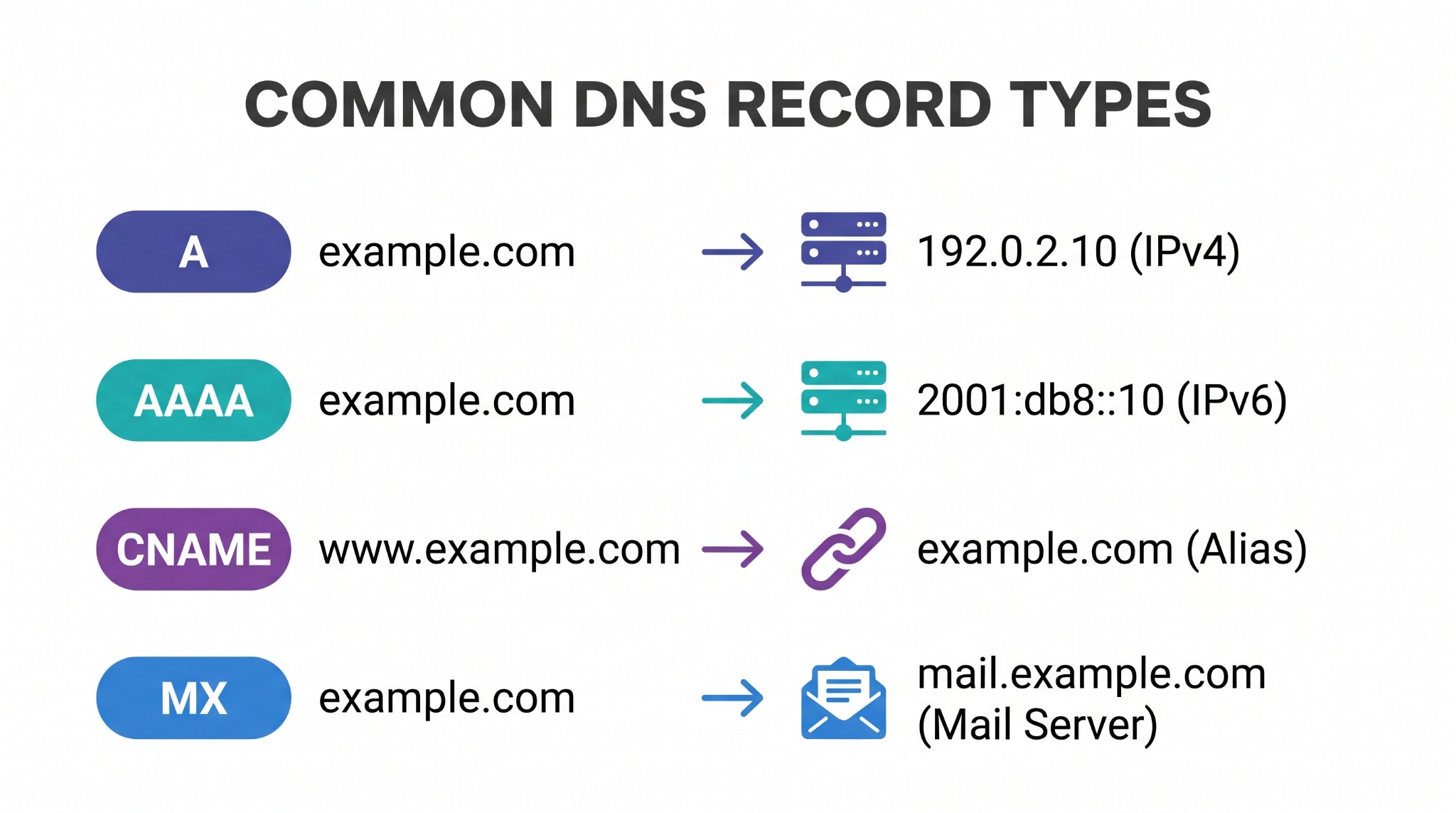
In the hosting example above, use an A record when the provider supplies an IPv4 address. If the provider supplies a hostname for www to point to, a CNAME record is commonly used.
| Record | What it does | Example |
|---|---|---|
A | Maps a name to an IPv4 address. | example.com → 192.0.2.10 |
AAAA | Maps a name to an IPv6 address. | example.com → 2001:db8::10 |
CNAME | Makes a name an alias for another hostname. The resolver continues the lookup using that hostname. | www.example.com → example.com |
MX | Specifies the mail server that receives email for the domain. | example.com → mail.example.com |
In the CNAME example, the browser keeps using www.example.com while the resolver looks up the IP address for example.com. An HTTP redirect that changes the address in the browser is configured on the web server side.
Try nslookup on Windows
Run these commands one at a time in Command Prompt.
nslookup -type=A example.com
nslookup -type=A example.com 1.1.1.1
nslookup -type=A example.com 8.8.8.8
-type=A requests the A record, which contains an IPv4 address. The first command queries your device's configured resolver. The other two commands query the resolver specified at the end of the command, so you can try them without changing your device's DNS settings.
Server and Address at the top of the output show the resolver you queried. Look below for the IPv4 address returned for example.com. Replace -type=A with -type=AAAA to look for IPv6 addresses.