Client and Server
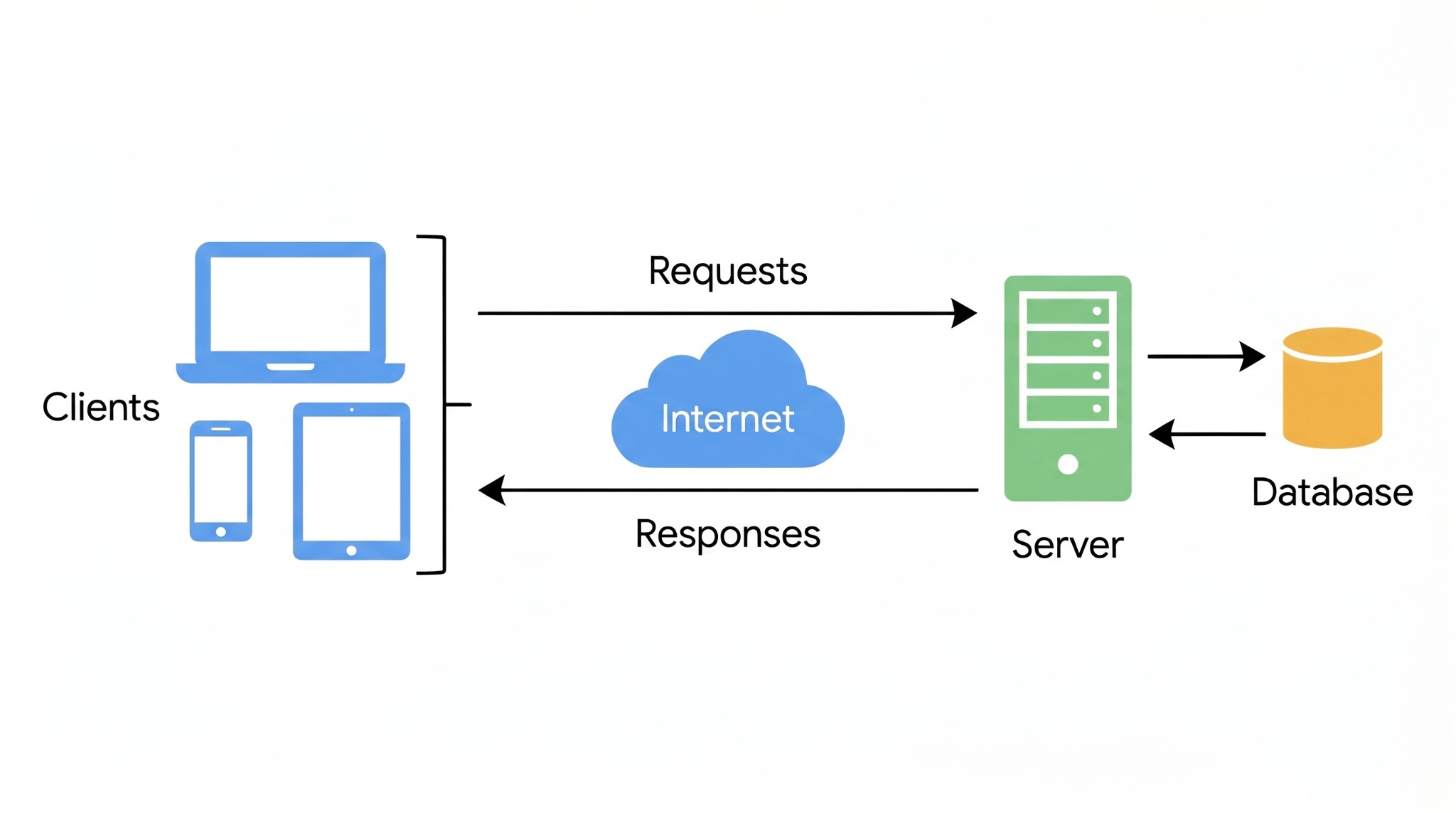
In a computer network, a client is a device or application that requests information or services, and a server is a centralized computer or program that processes those requests and provides the data.
On this page
The Breakdown
 Download image
The Client (The Requester)
- Initiates communication by sending a request over a network (like the internet).
- Focuses on the front-end user experience, displaying the returned data to the user.
- Examples: Web browsers (Chrome, Safari), mobile apps (Instagram, Spotify), desktop computers, and smart home devices.
The Server (The Provider)
- Runs continuously, listening passively for incoming client requests on specific ports.
- Handles the heavy lifting: processing logic, checking authentication, querying databases, and formulating a response to send back.
- Examples: Web servers (delivering website files), database servers (storing and retrieving records), and API backends.
Types of Servers
Servers are categorized based on the specific tasks they are designed to handle. Here is a breakdown of the 8 most common types of servers used in the industry and on the internet:
 Download image
- Web Server Stores the files needed to run a website (HTML, CSS, JavaScript, and images) and delivers these web pages to the user’s browser when requested.
- Backend Server Acts as the "brain" behind the scenes, handling data processing, business logic, and API connections sent from the frontend. (e.g., Systems built with NestJS, Next.js API Routes, or Python). This is what was traditionally called an "Application Server."
- Database Server Responsible for systematically storing, retrieving, modifying, and securely managing data. It quickly fetches data requested by the Backend Server. (e.g., PostgreSQL, MySQL, MongoDB).
- File Server A central hub used to store and share files across a network of users. Instead of scattering large video files, course materials, or documents across individual laptops, they are stored and managed in one central location.
- DNS Server Often called the "phonebook of the internet." It automatically translates human-readable website names (like
cloudninemm.com) into the numerical IP addresses (like192.0.2.1) that computers use to communicate with each other. - Proxy Server Acts as a middleman between the user (client) and the internet. It is used for security filtering, managing network traffic, and masking the user’s original IP address to protect privacy.
- Mail Server Functions like a digital post office. It is responsible for receiving, storing, and routing incoming and outgoing emails to their correct destinations.
- Game Server Calculates and synchronizes player locations, movements, scores, and data in real-time when running online multiplayer games.
Where Do Servers Exist? (On-Premises vs. Cloud)
 Download image
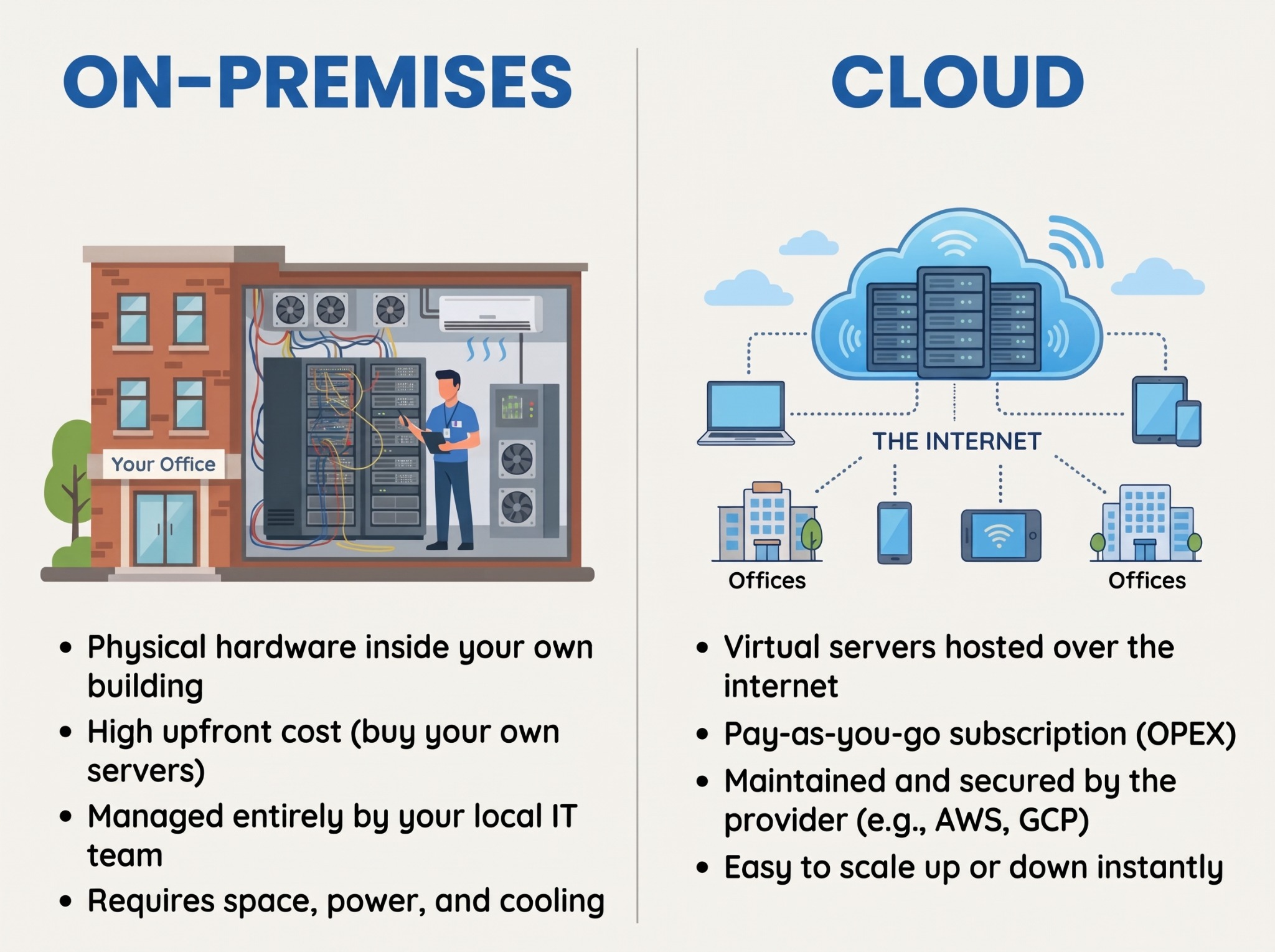
On-premises and cloud computing are two ways organizations run their IT systems—essentially the difference between owning and renting.
- On-Premises: You buy your own physical servers and house them in your own building. You pay high upfront costs and handle all maintenance, security, power, and cooling with your own IT team. It offers maximum control, making it common in banking, healthcare, and government.
- Cloud Computing: You rent virtual servers over the internet from providers like AWS, Microsoft Azure, or Google Cloud. You pay only for what you use, scale resources up or down instantly, and leave hardware upkeep to the provider. It is ideal for flexibility, remote access, and rapid growth.
Think of it like buying a house versus renting an apartment: on-premises gives you total control along with all the maintenance, while the cloud trades physical ownership for convenience, lower upfront costs, and agility.