Arrays, shape, and dtype
2.5.5
Create arrays and inspect how NumPy stores their values.
On this page
The ndarray
An ndarray has a shape and a dtype. shape lists the length of each axis, ndim counts the axes, and size counts all elements. A two-dimensional array uses axis 0 for rows and axis 1 for columns.
import numpy as np
sales = np.array([[2, 4, 3], [3, 1, 2]], dtype=np.int32)
print(sales.shape, sales.ndim, sales.size)
print(sales.dtype.name)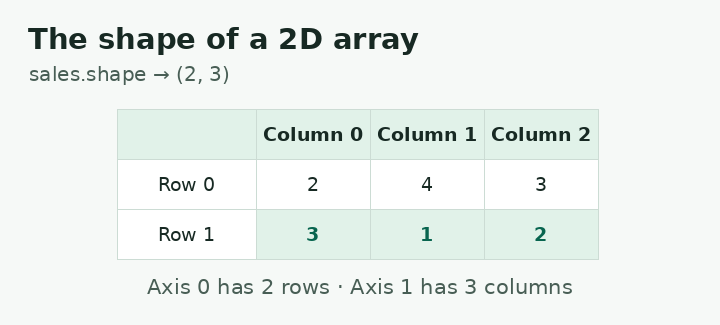 Download image
Example output
(2, 3) 2 6
int32
Choose a constructor
array converts supplied values, zeros creates a filled shape, and arange generates values with an exclusive stop. For evenly spaced samples with a specified count, use linspace. It includes the endpoint by default.
import numpy as np

print(np.arange(2, 10, 2).tolist())
print(np.linspace(0, 1, 3).tolist())
Example output
[2, 4, 6, 8]
[0.0, 0.5, 1.0]
Choose and convert a dtype
astype converts values to another dtype. Narrow integer types save space but have limited ranges. Inspect dtype before arithmetic on fixed-width integers, especially with large counts.
import numpy as np

values = np.array([2, 4], dtype=np.int32)
print(values.astype(np.float64).tolist())
Example output
[2.0, 4.0]